One Dashboard for All Your
Local Node.js Projects
Works with your stack
Point Nodev at a folder. It identifies every Node.js project by framework, package manager, and configuration. Automatically.
Auto-detection enabled
Package.json analysis • Config detection
8+
Frameworks supported
Local dev shouldn't feel like this
terminal tabs you can't tell apart
ports you keep mixing up
Node versions you manually switch between
broken dev environment after every reboot
way to see what's actually running
Every morning you spend 15 minutes just getting back to where you were yesterday.
65 hours
a year. On setup. Not shipping.
Your entire dev workflow. One interface.
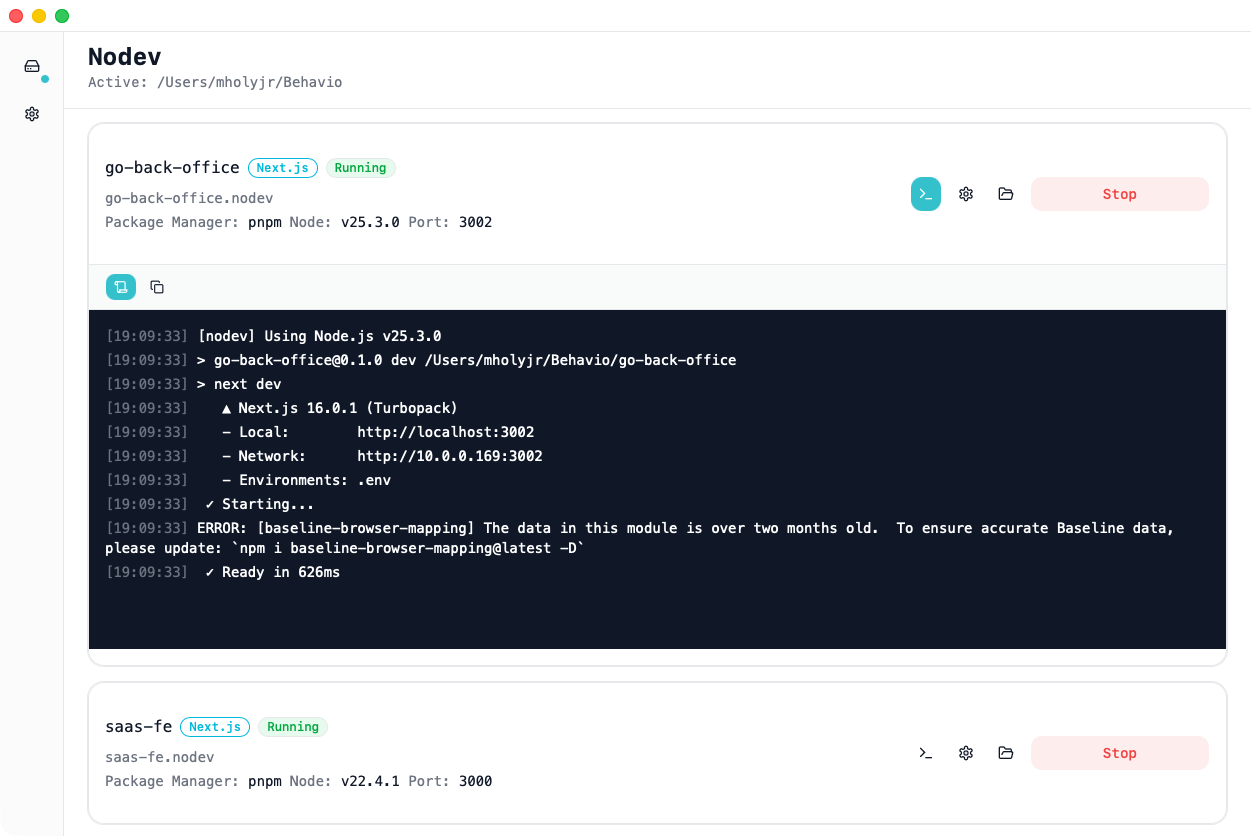
No more terminal tabs. No more port confusion. Nodev gives you a single control panel for every local Node.js project.
Add a folder. Get every project.
Nodev scans your directories, identifies Node.js projects by framework, package manager, and configuration. No manual setup.
Start everything. Stop everything.
Control all your dev servers from one interface. No more hunting through terminal tabs to find the right process.
Reboot without regret.
Restart your Mac and Nodev brings back every server that was running. Your morning just got shorter.
Dependencies, handled.
Missing node_modules? Nodev detects it and installs with one click. No cd, no npm install, no waiting.
The right Node version. Every time.
Each project uses its own Node.js version. No nvm use. No .nvmrc confusion. Nodev ships with Node.js bundled and lets you download any version with one click.
Node.js included
Ships with Node.js v20.18.0 bundled. Works out of the box. No system Node.js required.
Any version, one click
Need v25? v18? v22? Download and install any Node.js version directly from Nodev.
Per-project versions
Legacy project on Node 16, new project on Node 22. Both run side by side, each with its own version.
Isolated from your system
Completely independent of system Node.js. No conflicts, no path issues, no surprises.
No more nvm use. No more fnm. Just run.
Switch Node.js versions from a dropdown. Each project remembers its version. No terminal commands, no version managers, no shell config.
localhost:3000 is dead.
Every project gets a memorable .nodev domain. OAuth callbacks work. CORS is solved. No hosts file editing.
Your Local Domains
Why .nodev?
OAuth just works
No more localhost redirect URL headaches. Custom domains work with Google, GitHub, and every OAuth provider.
CORS, solved
Consistent origins for your APIs. No more 127.0.0.1 vs localhost mismatches.
Names, not ports
myapp.nodev is easier to remember than localhost:3847. Your projects deserve real names.
Zero config
No hosts file. No port conflicts. No proxy setup. Add a project, get a domain.
Switch configs, not files.
Manage local, staging, and production environment variables per project. Switch with a dropdown when starting your server. No more editing .env files by hand.
Select Your Environment
Click an environment below to see it in action
Unlimited environments
Create as many environments as each project needs
Switch on startup
Pick your environment from a dropdown when starting the server
Smart defaults
Set a default environment so you can start without thinking
Safe from your codebase
Environments stored outside your repo, safe from git and AI agents
Still juggling terminal tabs every morning?
There's a dashboard for that. Download Nodev and get back to shipping code.
Free while in beta • macOS 12+ • Apple Silicon & Intel